How to Cashout with betPawa
Take a payout on your bet before the final outcome is known with Cashout. Here’s everything you need to know about getting the best Cashout:
How do I Cashout?
Just follow these 3 simple steps:
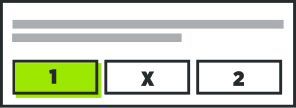
1. After placing your bets, go to ‘My Bets’ on ‘Menu’ and open any betslip with the orange Cashout icon.
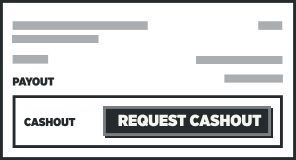
2. Click ‘Request Cashout’ to ask for a Cashout offer. If Cashout is unavailable (see “Why can’t I Cashout?” below for more information on this), you can try again.
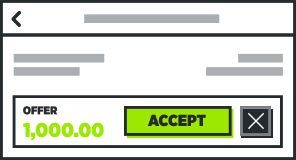
3. If you want to accept the offer, click ‘Accept’ and we’ll add that amount to your balance.
Watch a video showing you how to Cashout here
When can I Cashout?
You can request a Cashout offer at any stage from the moment you place your bet to the moment it’s settled. Sometimes the offer will not be available due to market status (unavailable) or event status (in fluctuation).
Once you receive an offer you can accept it, but be quick! The offer might be withdrawn due to the reasons mentioned above.
Changes in market will make the offers go up or down. The closer your betslip is to winning, the higher the offer will be, but if the changing state of the markets indicate that the loss probability has gone up the offer size might diminish as well.
Our Early Cashout is one of a kind. You can get up to 100% of your stake back before the first match on your betslip has started. Just follow the 3 steps above.
Not going to be able to follow your betslip in progress? Don’t forget you can now set an Auto Cashout, a Cashout offer you’d be happy to automatically accept on that betslip, from the MY BETS screen.
You can only Cashout each bet once, but there is no limit to how many bets you can Cashout, or how much you need to stake to Cashout.
What competitions and markets is Cashout available on?
Cash Out is currently available in most of the major markets for the sports we offer.
Please note that Cash Out availability is dependent on the state of the market and of the match, thus Cash Out can become unavailable at any point in time.
Why can´t I Cashout?
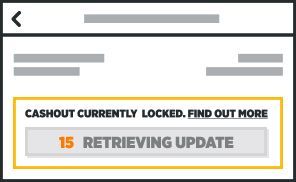
If you’ve used the markets above, there should only be 2 scenarios where we can’t make you a Cashout offer:
A Market is Offline
A market has temporarily gone offline due to some in-play action. We’ll ask you to try again. A market offline means that the odds are not available at the moment. There can be various reasons for that - the goal might have been just scored so the odds are suspended. There might have been a red card given, so the odds are closed and cashout is not available. Or when the match has not started yet it might have been announced as postponed, so cashout will not be available as the fixture has been taken off from the website.
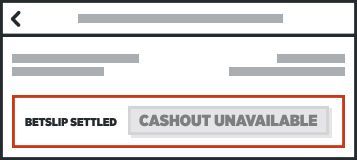
Your Bet is Settled
An event has been completed and settled as lost, so you're no longer able to Cashout the bet.
Please note that in case you have selected live events in your betslip, there will be a short delay before cashout is confirmed.
Why can’t I find the option to Cashout on my betslip?
Go to My Bets and look for betslips with the Cashout symbol there
Why is my Cashout offer less than my stake?
This indicates your bet has a very small chance of winning, but you can still use Cashout to recover some of your stake. Please note that the Cashout offer amount is a personal offer and may vary from Customer to Customer.
Head to our Help page if you’ve got any more questions about Cashout